Generate Paste-Ready Word & APA Three-Line Academic Tables from Excel / CSV
Formatting three-line tables (三线表 / APA 7th edition tables) manually inside Microsoft Word takes dozens of border-dialog clicks and breaks whenever you update experimental numbers.
Why Researchers & Engineers Use TableForge
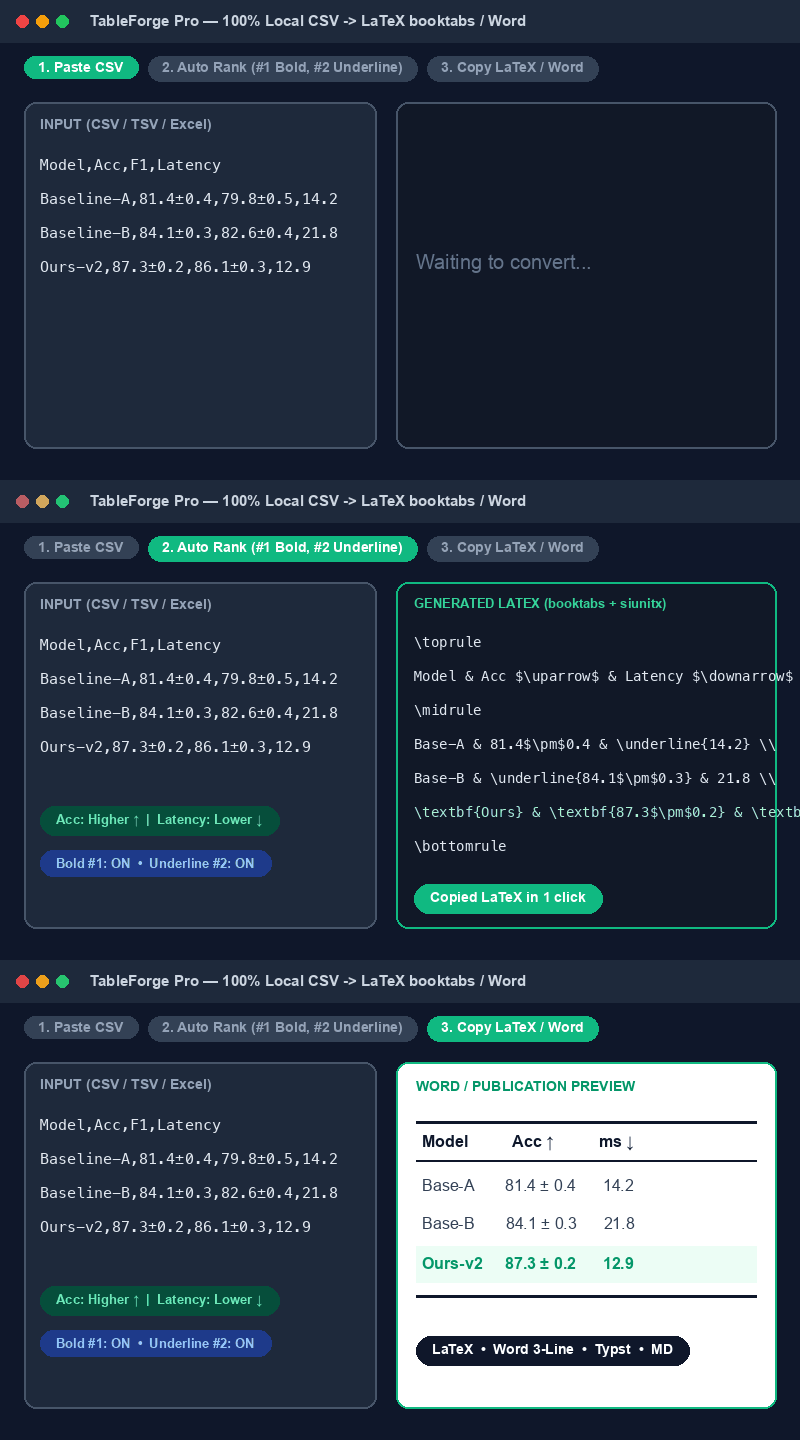
- One-click Copy Rich HTML pastes crisp 1.5pt top/bottom rules and 0.75pt header mid-rules straight into Microsoft Word, WPS, and Google Docs.
- Automatically formats significant digits, bolds top metrics, and preserves mean ± std spacing.
- Simultaneously produces matching LaTeX booktabs, Typst, and Markdown from the exact same table.
- Zero cloud uploads and zero login.
Supported Export Formats From One Paste
1. Word / WPS / Google Docs Rich HTML (1.5pt top/bottom, 0.75pt midrule, zero vertical borders)
2. LaTeX booktabs + siunitx S-columns
3. Typst publication table() markup
4. GitHub-Flavored Markdown (GFM)
Visual Walkthrough
Want offline Chrome Side Panel access, batch ZIP exports, or zero-dependency Python CLIs? Use starter code STARTER20 for 20% off any one-time Pro pack or the 6-tool bundle.
Frequently Asked Questions
Will the three-line borders survive pasting into Microsoft Word and WPS?
Yes. TableForge copies inline CSS border styling engineered specifically for Word and WPS HTML clipboard parsers.
Does it support Chinese headers and mixed bilingual columns?
Yes. Full UTF-8 support for Chinese thesis headers (如 毕业论文三线表) and English journal headers.
Can I customize which columns are lower-is-better (e.g., RMSE, MAE, Latency)?
Yes. Toggle each column direction independently so lower error metrics are highlighted as best.
Is there a monthly subscription?
No. The web demo is free and the Pro bundle (Chrome extension + Python batch CLI) is a one-time $15 purchase.