Safely Debug .env Configs, Docker Logs & Stack Traces With AI Without Leaking Credentials
Debugging production Docker Compose, Kubernetes, or `.env` deployment logs with AI agents forces an ugly choice between painstaking manual find-and-replace or pasting live credentials into cloud chat logs.
Why Researchers & Engineers Use PromptShield
- Preserves `.env` variable names while redacting secret values into typed tokens.
- Catches multi-line PEM private keys, JWTs, Basic Auth URLs, IPv4/IPv6 addresses, and cloud API tokens.
- Restores the AI's corrected snippet or diff back into working config in one click locally.
- Pro batch mode scrubs whole folders of CSV, JSON, and `.log` files into a clean ZIP archive.
Key-Preserving .env Redaction
STRIPE_SECRET_KEY=[STRIPE_KEY_1]
REDIS_URL=[DB_URI_1]
JWT_SIGNING_KEY=[SECRET_ENV_1]
ADMIN_EMAIL=[EMAIL_1]
Visual Walkthrough
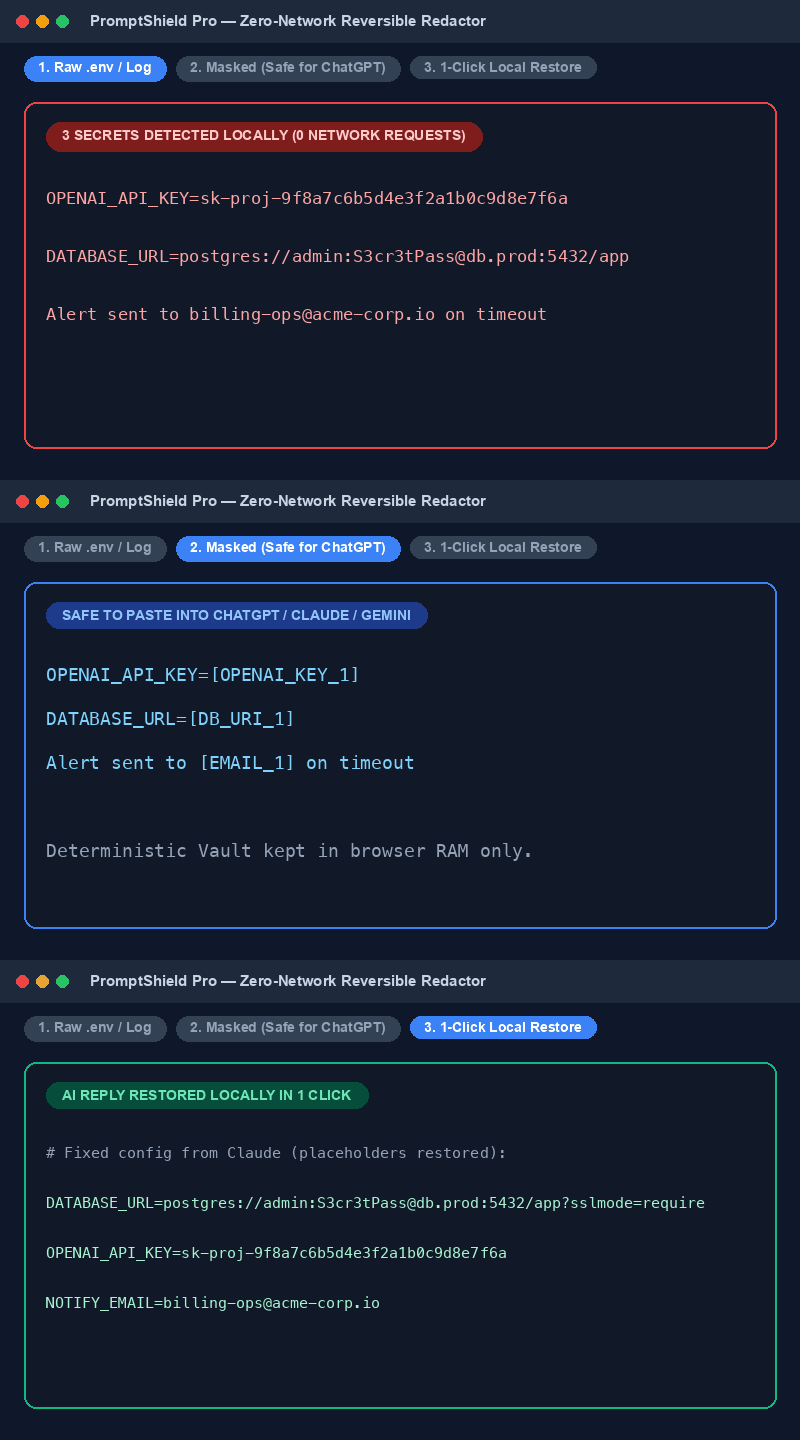
Want offline Chrome Side Panel access, batch ZIP exports, or zero-dependency Python CLIs? Use starter code STARTER20 for 20% off any one-time Pro pack or the 6-tool bundle.
Frequently Asked Questions
Why not just use find-and-replace manually?
Manual editing misses embedded credentials inside connection strings, JWT payloads, and stack traces — and takes just as long to reverse after the LLM replies.
Are credit card numbers and national IDs checksum-verified?
Yes. PromptShield validates Luhn checksums for payment cards and GB 11643-1999 mod-11 checksums for Chinese 18-digit IDs to avoid noisy false positives on random numbers.
Can I add custom company project codes or internal hostnames?
Yes — PromptShield Pro supports custom regex and literal entity profiles saved locally.
Does it require an OpenAI or Claude API key?
No. PromptShield is purely local text processing with zero AI API calls.